Every class. Every teacher. One timetable.
Periods and class timetables
Set each period's start and end time and mark breaks such as lunch. Then open a class, tap a period, and choose the subject and teacher. Teacher clashes are checked as you save.
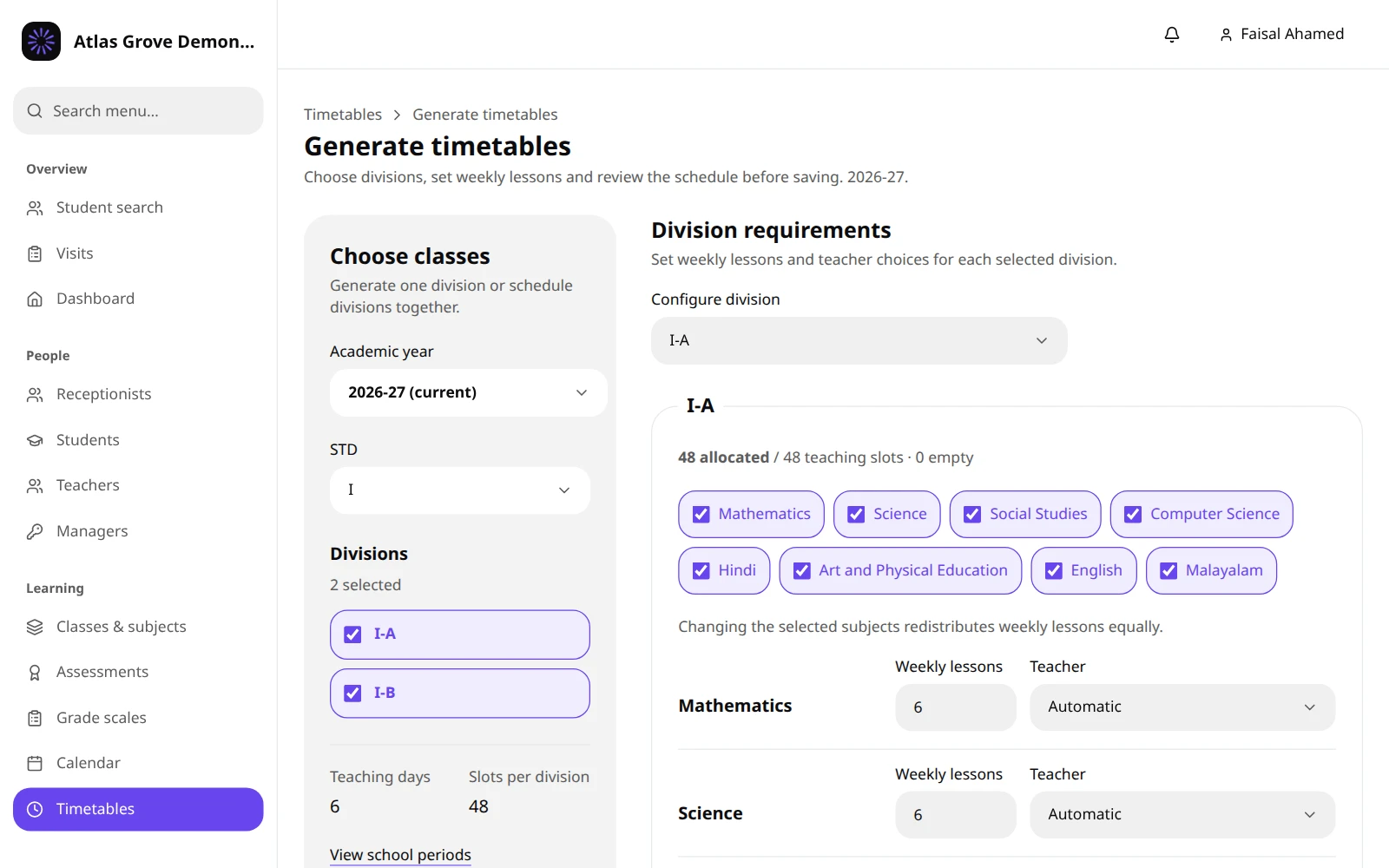
Generate timetables for a grade
Choose the year, grade and divisions, set each subject's weekly lessons, and pick a qualified teacher or Auto. The generator places lessons around breaks, lets you review requested and placed counts, move or swap lessons, and saves every selected division together.
Auto only chooses teachers qualified for the subject, and the first period can stay with the class teacher every day.
Clashes, overview and cover
- Conflicts lists any teacher booked in two places at once.
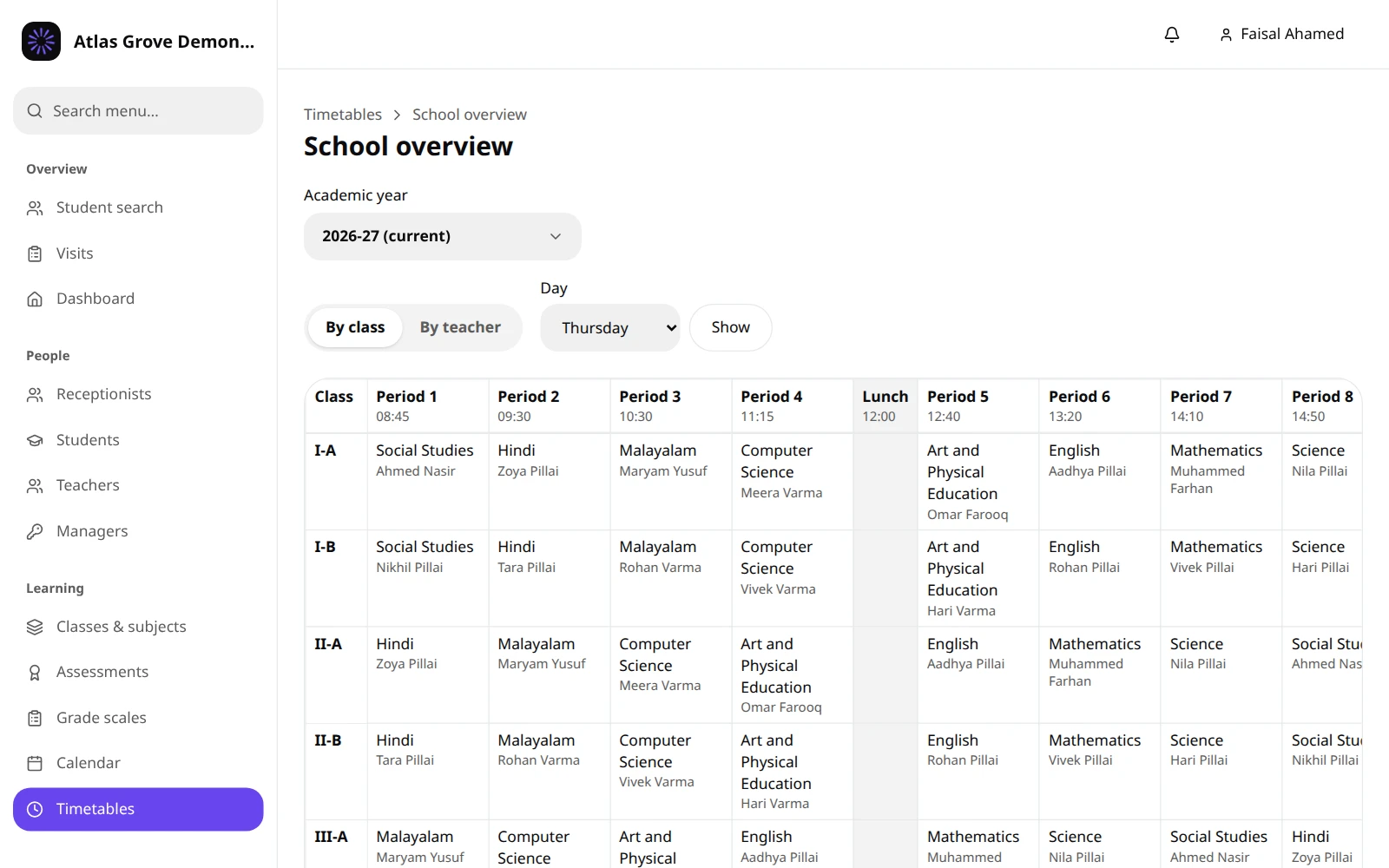
- School overview shows every class, or every teacher, for one day.
- When a teacher is on leave, their uncovered periods appear for a manager to assign a substitute.
- Students and parents see their own class timetable on their phone.
Common questions
Can CampusOS generate a timetable automatically?
Yes, for master and academic managers. Choose the grade and divisions, the weekly lessons per subject and the teachers, then review and save. Teachers can still edit current-year timetables by hand.
How are substitutions handled?
Approved teacher leave leaves periods marked Not covered. A manager assigns a substitute, who sees the duty on their home screen and timetable.
More answers in the full FAQ.
Included in the one plan
Timetables comes with every other feature in CampusOS. No add-ons, no tiers.
One plan, every feature
₹12a month
per student
About the price of a cup of chai. Billed once a year at ₹149 per student. Trial available on request.
White-label, if you want it
Make it completely yours.
From
₹19,999
one-time
- Your own domain
- A campus landing page
- Connect your app or website
A starting price, not a final one. We scope it with you and quote for exactly what you choose.
Customer care in working hours
Real people, by phone and email.
Guided onboarding
We help you set up and bring your data in.
Your data stays private
Each campus is kept separate and secure.
Support only with consent
We see your details only when you allow it.