Marks entered once. Report cards when you say so.
Exam seasons and schedules
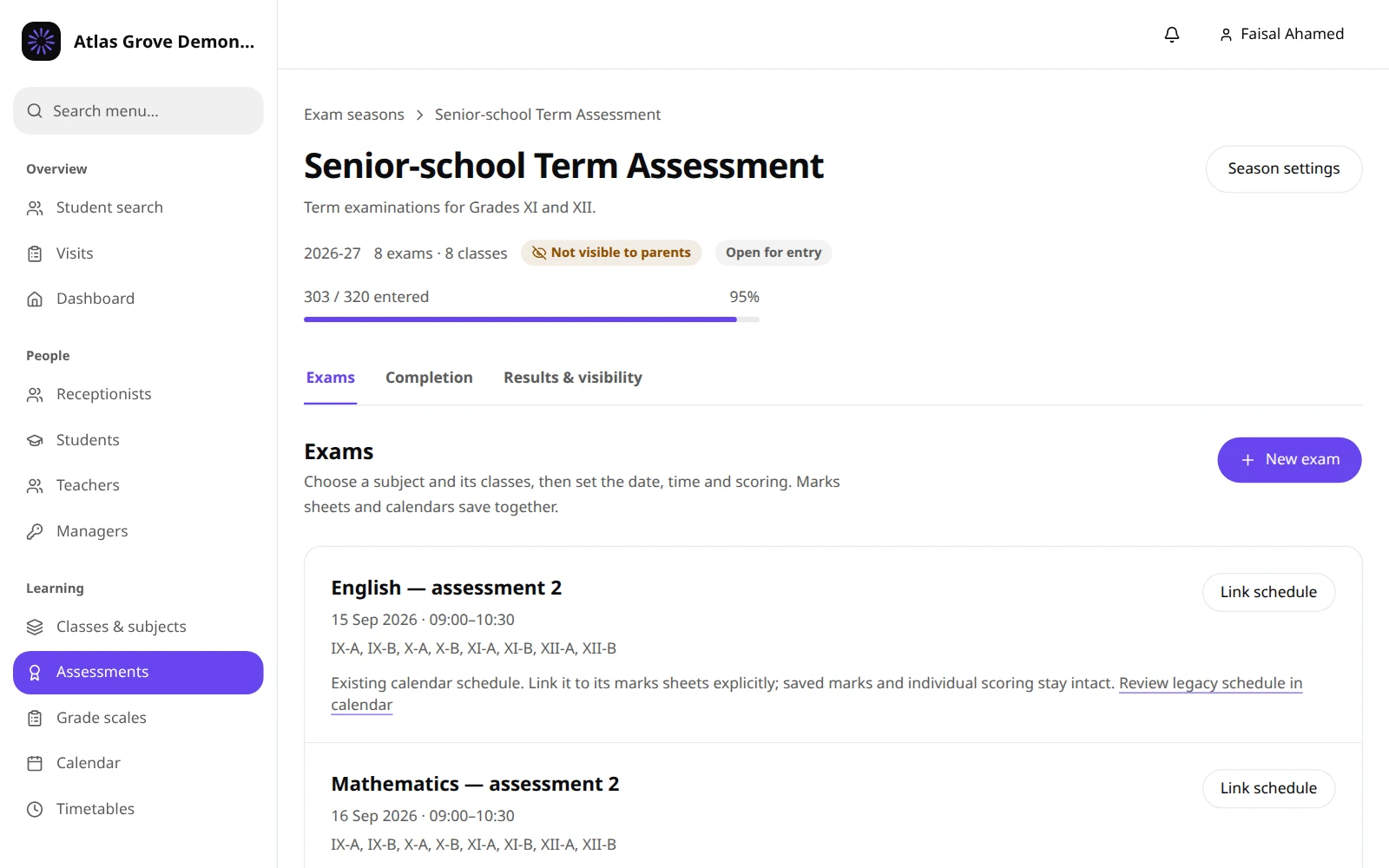
Create a season such as Term 1 Examination, then add each exam with its subject, classes, date, time and scoring: maximum marks or a grade scale. The calendar entry and the class marks sheets are created together.
Completion shows exactly which marks are still missing before anything is published.
Teachers enter marks on their phone
Teachers see only their assigned subjects and classes. For each student they enter a mark or grade, or choose Absent or Exempt, and add a short comment that appears on the report card. A whole class can also be imported from a spreadsheet.
- A missing mark shows as Not entered, never as zero.
- Grade scales start from the CBSE-style 8-point scale or your own boundaries.
Publish, lock and print
Publishing and locking are separate switches. Publishing shows saved results to parents; locking stops everyone, management included, from changing them until unlocked.
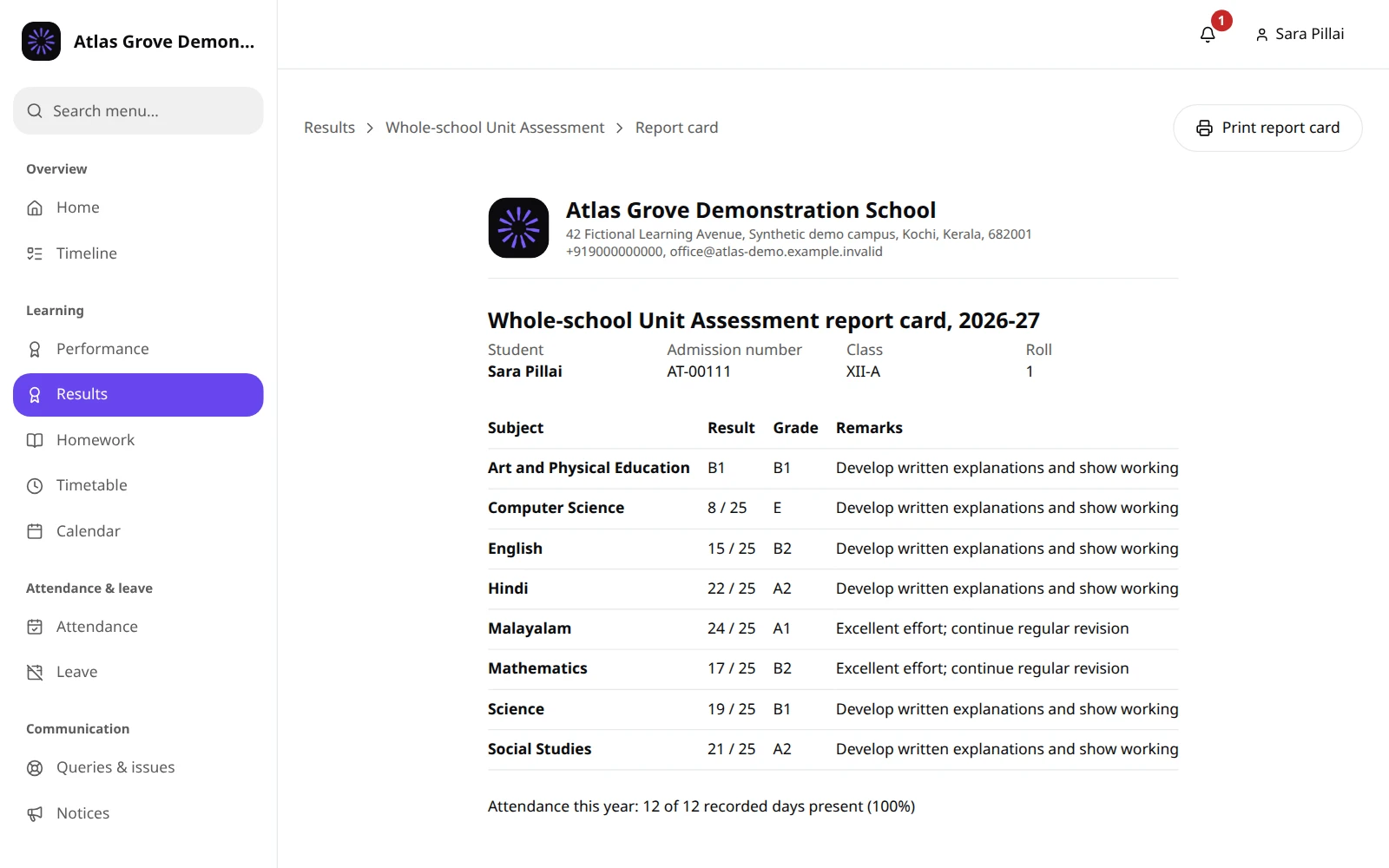
Parents see each subject's mark, grade and remark, a performance view across the year, and a report card with the school letterhead that prints or saves as a PDF.
Common questions
Does it support CBSE grading?
Yes. Grade scales can start from the CBSE-style 8-point scale, or you can define your own percentage boundaries.
Can parents see results before the school is ready?
No. Results reach parents only after management switches on Visible to parents for that season.
More answers in the full FAQ.
Included in the one plan
Exams and report cards comes with every other feature in CampusOS. No add-ons, no tiers.
One plan, every feature
₹12a month
per student
About the price of a cup of chai. Billed once a year at ₹149 per student. Trial available on request.
White-label, if you want it
Make it completely yours.
From
₹19,999
one-time
- Your own domain
- A campus landing page
- Connect your app or website
A starting price, not a final one. We scope it with you and quote for exactly what you choose.
Customer care in working hours
Real people, by phone and email.
Guided onboarding
We help you set up and bring your data in.
Your data stays private
Each campus is kept separate and secure.
Support only with consent
We see your details only when you allow it.